Feature | Description |
A label in the Closed Captioning pane shows if closed captions are pop-ons or roll-ups. | 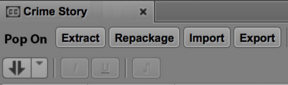 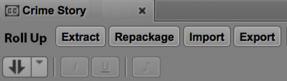 |
Alignment of roll-ups | If you change the alignment for one segment of a roll-up, the same alignment is applied to all segments. |
Feature | Description |
Restore an asset from an Interplay Production archive database. | Starting with MediaCentral UX v2.5, you can perform an indexed search that includes an Interplay Production Archive database. If you find that an asset and its media is archived, you can restore the asset and its media to your local Interplay Production database. You can then play and edit the asset. To restore an asset and its media, right-click an asset that exists in the Interplay Production Archive database and select “Restore From Archive.” For more information, see Restoring an Asset from an Interplay Production Archive. |
Feature | Description |
A label in the Closed Captioning pane shows if closed captions are pop-ons or roll-ups. | |
Alignment of roll-ups | If you change the alignment for one segment of a roll-up, the same alignment is applied to all segments. |
Feature | Description |
Use a basic sequence as the source for edits in a different basic sequence | You can open a basic sequence in Asset mode and use it as source footage for a different basic sequence that is loaded in Output mode.  Advanced sequences are not currently supported as a source sequence or an output sequence. Advanced sequences are not currently supported as a source sequence or an output sequence.When you load the sequence in Asset mode, editing controls such as Mark In and Mark Out are available through buttons and keyboard shortcuts. Note the following: • If the segment that you edit from the source includes more than one segment, all segments are added individually to the timeline. The last segment is selected. • Restrictions in the source sequence are copied to the output sequence. • Markers that exist on the source sequence are copied to the output sequence only if they apply to the sequence itself (not to the clips that make up the sequence). • Group clips in the source sequence are copied as group clips to the output sequence. The active angle and the audio mapping are preserved. |
Paging in the Sequence Timeline | You can select an option in the User Settings that enables a paging display during playback in the Sequence Timeline. This feature is useful when you are zoomed in to a sequence and you want to display the area around the position indicator. For more information, see Timeline Paging During Playback. |
Use the Esc key to switch between Asset and Output modes | When the focus is in the Media Pane, you can use the Esc key to switch between Asset and Output modes. |
Feature | Description |
Support for thesaurus data as predefined criteria | You can use metadata values that are predefined to use as consistent values in your searches. These values display in the search criteria as a list of terms you can add to or exclude from your search. Thesaurus lists are supported for Interplay MAM assets only. |
Public searches | Administrative users can share a saved search with other MediaCentral UX users, and they can set a saved search as the default search for users. For more information, see Saving Searches. |
Feature | Description |
Support for iNEWS confirmation dialogs | MediaCentral UX displays a confirmation dialog box if the preferences were set in your iNEWS client or configuration to provide a confirmation of actions that require saving or deleting stories. For more information, see Creating a Story. |
Support for update queues | When you edit a story that is transmitted to a destination queue marked as an update queue, MediaCentral UX treats the update queue the same way that the iNEWS client handles update queues. For more information, see Editing a Story. |
Queue editing | You can edit any editable field for a story in a queue. For more information, see Editing a Story. |
Feature | Description |
Gluster configuration script | MCS v2.5 now includes a script that expedites the process for configuring Gluster by creating all GlusterFS volumes and setting ownership for all shares across the cluster nodes. For more information see “Replicating the File Caches using GlusterFS” in the MediaCentral Platform Services Installation and Configuration Guide |
Feature | Description |
File Info pane | The File Info pane provides information about video, audio, image, and text files. In Interplay MAM, such files are described as essences. The File Info pane shows in detail how the essence files that belong to the asset open in the pane are organized. For more information, see Working with the File Info Pane (Interplay | MAM). |
Files as user task attachments | MediaCentral UX v2.5 enhances the options for editing process attachments within the context of user tasks: • You can upload files to a task and monitor the upload operation. • You can delete uploaded files from the task and download file attachments to your computer. |
Browser notifications for new tasks | Notifications from panes can be shown as browser alerts. If the signed-in user has new tasks in his task list and the Tasks pane is open but not visible, a notification is shown. |
Mixed frame rate editing in the Sequence pane | For Interplay MAM sequences, the target frame rate is defined when the basic sequence is created. By default, you can add clips with a differing frame rate. Starting MediaCentral UX v2.5, mixed-frame-rate editing can be disabled by configuration in Interplay MAM. |
Save frame in high-resolution | From the Media pane, you can select a frame of video and save it as an image in either the PNG or JPG format. If a clip is associated with multiple resolutions, the image is saved in the highest resolution that is available on line. |
Location aware proxies | The Media pane supports playback of Interplay MAM media located on other MCS servers (in a multi-zone environment). |
Thesaurus support in indexed search | Interplay MAM sends thesauruses and their values to Central Index, making them available for the Indexed Search in MediaCentral UX. |
Feature | Description |
Notifications for MediaCentral UX messages | If you have desktop notifications enabled in your browser, and if your MediaCentral UX browser window is not visible, a notification is displayed when you receive a MediaCentral UX message. You can click on the notification to display the message in the Messages pane. For more information, see Showing Desktop Notifications from Panes. |
Feature | Description |
Remote playback without local Interplay Production system | If you are signed in to a MediaCentral | UX server that is not configured for Interplay Production, you can now search for and play assets from one or more remote Interplay Production systems. Both the local and the remote systems must be configured for multi-zone and Media Index. Deliver, Deliver to Me, and Restore from Archive are not available for this configuration, because there is no local Interplay Production system. For more information about remote playback, see Working with Remote Assets (Interplay Production). |
Alternate MAM workflow | MediaCentral 2.5 allows for low-res proxy media to be streamed to the remote systems and stored on a local cache. This eliminates the need to replicate media at the remote locations. For more information, see “Enabling Remote Playback” in the MediaCentral Platform Services Installation and Configuration Guide. |
Feature | Description |
Overwrite option in Send to Playback Settings is deselected after an STP job is completed | Selecting the Overwrite option overwrites any sequence with the same Tape ID already sent to the playback device.The Overwrite option is now automatically deselected after a job is sent, to prevent accidental overwriting of a sequence with the same Tape ID. |
STP does not support in-progress clips. | You cannot send an in-progress clip (edit-while-capture or EWC clip) to a playback device. If you load an in-progress clip, the STP button is disabled. |
Feature | Description |
Media Indexer HAG and MI Host settings removed from System Settings | These options have been removed from the Playback Service Settings with MediaCentral UX. MediaCentral now obtains information on the Media Indexers from the Server Hostname Settings of the Interplay Production Administrator tool. |
Feature | Description |
Audit logging | A new log file provides information about changes in roles, users, and groups. Events are logged with date, time, message (such as “User has been created”) and other information. The file is located in /var/log/avid/avid-ums/audit.log. The system stores up to ten versions of the log file. |
Feature | Description |
Mac OS X support | MediaCentral UX Desktop is now supported on the Mac platform. MOS plug-in support remains available for clients on the Windows operating system only. For more information, see the MediaCentral Platform Services Installation and Configuration Guide. |
Feature | Description |
Extended support for thePlatform CMS | The panel for publishing media assets to thePlatform has been improved to support categories of custom fields used in thePlatform software. For more information, see Publishing MediaCentral Assets to thePlatform. |
Closed captioning support | Video components in the Social Message, Web Story and thePlatform panes allow you to attach or remove closed captioning. For more information, see Media | Distribute. |
Feature | Description |
MOS plug-in support | MediaCentral UX v2.4 introduced MOS plug-in support through the MediaCentral UX Desktop, because Chrome v45 removed support for NPAPI. A user running MediaCentral UX with Chrome v45 or later is not prompted to download the MOS plug-in container, and the user setting “MOS enabled” is not displayed. These features are still available for users running earlier versions of Chrome. |
Load a sequence in Asset mode and send it to a playback device (STP) | MediaCentral UX v2.4 introduced the feature of loading a master clip or subclip in Asset mode and then sending it to a playback device. You can also load a sequence in Asset mode and send it to a playback device. |
In-progress (EWC) clips | When you are playing close to the end of an in-progress clip, the position indicator can reach the end of the currently ingested media before a new chunk of media is ingested. Playback then stops without a message. Wait a few minutes and begin playback again. |
Sequence pane without a sequence loaded | In MediaCentral UX 2.5 and later, if you open the Sequence pane without a sequence loaded, no track labels are displayed. In earlier versions, track labels for an Advanced sequence were displayed. |
MediaCentral Platform Services landing page on the Avid Knowledge Base | A new page has been created on the Avid Knowledge Base for MediaCentral Platform Services. The purpose of this page is to provide a central location to find a variety of topics on using and troubleshooting MediaCentral. Topics include: • Installation and configuration • System security • Troubleshooting server and client issues • Links to Avid Tech Talk series • Links to online documentation • And more... The new landing page can be found at: |
Avid Networking Port Usage Guide | The Avid Technical Publications group has created a new document that serves as a central location for network engineers looking for information on port usage in an Avid environment. Tables from Avid MediaCentral Platform Services, Interplay | Production, Avid ISIS, iNEWS and other documents have been combined in this new reference guide. The document can be found on the Avid Knowledge Base at: |