Timeline Paging During Playback
Starting with MediaCentral UX v2.5, you can select an option in the User Settings that enables a paging display during playback in the Sequence Timeline. This feature is useful when you are zoomed in to a sequence and you want to display the area around the position indicator. When the position indicator moves close to the end of the visible region of the timeline, the Sequence pane displays the next region and keeps the position indicator displayed in the region. This timeline paging also works for reverse playback.
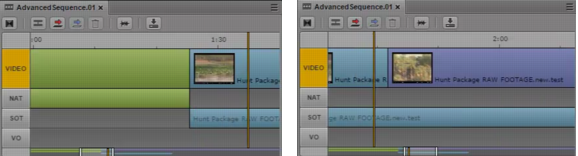
The following illustration shows two consecutive zoomed-in regions.
Click
Show Me to see a movie of this feature.
To enable Sequence Timeline paging:
1. Select Home > User Settings.
2. In the Name column, select Sequence.
3. In the Timeline section, select “Paging enabled.”
4. Click Apply, then close the dialog box.