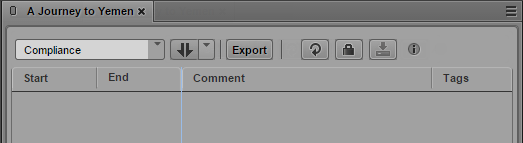
Creating Segment (Gaps Allowed)
In Gaps Allowed mode you can explicitly define In and Out marks of new segments. Therefore you do not need a virtual segment to split when you segment a stratum in Gaps Allowed mode for the first time.
When you are creating segments in a stratum that allows overlapping segments, you automatically have all Gaps Allowed options. Additionally you can create new segments within already existing segments.
To create segments:
1. Load an asset in the Logging pane and Media pane.
2. In the Logging pane, select the stratum in which you want to segment.
3. In the Media pane, select the same stratum to be displayed on the Media Timeline.
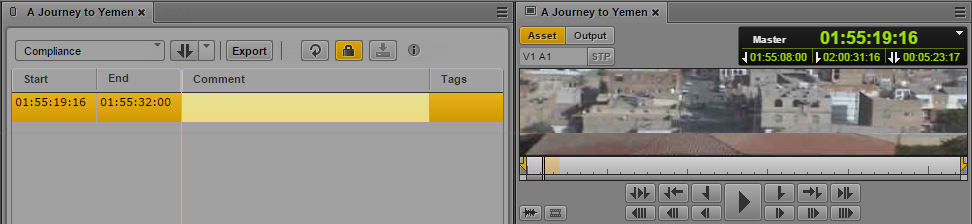
4. Use the transport controls of the Media pane to move through the video and set In and Out points to mark the start and end of the segment you want to create.
5. To create a segment with the given In and Out marks, do one of the following in the Logging pane:

Press the Tab key.
Press Ctrl+M.
In the New Segment control, select In and Out mode and click the control.
The stratum is locked. A segment is created with the given In and Out marks and shown in the Logging pane’s Segment List.

Currently you must reload the asset to make a new segment visible on the Media Timeline.
7. In the Media pane, navigate through the asset and stop at a position where you want to start a new segment.
8. To create a segment at the current playhead position, do one of the following:
Press Ctrl+Shift+M.
In the New Segment control, select Playhead position mode and click the control.
A segment with the given In mark but without Out mark is created and shown in the Logging pane’s Segment List.
9. (Option) Annotate the segment.
10. To close the open segment, navigate through the asset in the Media pane, stop at a position where you want to close the segment and do one of the following:
Press Ctrl+Alt+M.
The Out mark for the segment is set to the current frame.
Press Ctrl+Shift+M or click the New Segment control (Playhead position mode).
The Out mark for the segment is set to one frame before the current frame. A new segment is created with the In mark set to the current frame.