Sending a Mixed-Resolution Long GOP Sequence to a Playback Device
There are limitations on the types of media you can add to a sequence for a successful send-to-playback operation. In most cases, all media used in the sequence must be available in the target resolution to start an STP operation.
When you select a Long GOP resolution as a target resolution, you can mix media of different resolutions if the frame rates match. For example, if the target resolution is XDCAM-HD 1080i, you can include both XDCAM 1080i clips and DV25 411 NTSC clips in the same sequence. Both use an actual frame rate of 29.97 fps.
The DV25 clips do not need to be transcoded to XDCAM 1080i before the STP operation begins. For Long GOP sequences, any necessary transcoding takes place during the STP operation.

You can determine the frame rate of a clip in the MediaCentral UX Assets pane. Open the Interplay Production database and check the FPS column. If the column is not displayed, click the Assets Pane menu and select Add or Remove Columns.
For more information, see Adding or Removing Property Columns.Note the following:
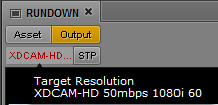
• Video Format display: In the Media panel, the Video Format display shows the STP target resolution. If the media format of any clip in the sequence does not match the media format specified in the profile, the Video Format display is red.
For a mixed-resolution Long GOP sequence, this display is red. However, you can send the sequence to playback so long as all clips in the sequence use the same frame rate.
• Aspect ratio: There is no aspect ratio conversion. 4:3 clips are stretched to 16:9.
• Review for Playback: In the Media panel Output mode, when you click the Review for Playback button, all objects of the sequence that are available in the target resolution are played in the target resolution. Objects that are not available in the target resolution are replaced by the message “Media Offline.” To see all parts of the sequence in review mode, clips not in the target resolution need to be transcoded to the target resolution, for example, by using the Interplay Transcode feature in an Avid editing system.

For target resolutions other than Long GOP, all objects in the sequence must be available in the target resolution before an STP operation can begin.