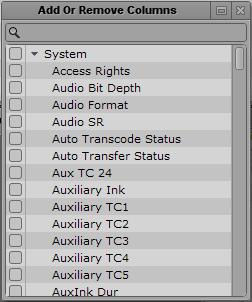
Adding or Removing Property Columns
A set of property columns is shown when viewing media assets in the Assets pane. These columns display metadata that is associated with assets in the Interplay Production database. You can select other property columns to display. The columns that are available depend on the columns that are available in a particular Interplay Production database.
To add or remove property columns:
1. Click the Pane Menu button in the top right corner of the Assets pane and select Add or Remove Columns.
The Add Or Remove Columns window opens. The list is divided in System properties, User (custom) properties, and Resolutions.
2. Select the columns you want to add or deselect the columns you want to remove.
You can use the search box to find a particular column.
3. Click the Close box or click anywhere outside the window to save your settings.