Deleting Media Packages
Only users logged in to MediaCentral as an Administrator can delete packages from the Packages pane. If you want to delete only some of the packages, you can first filter the list of media packages.
To remove packages from the Packages pane:
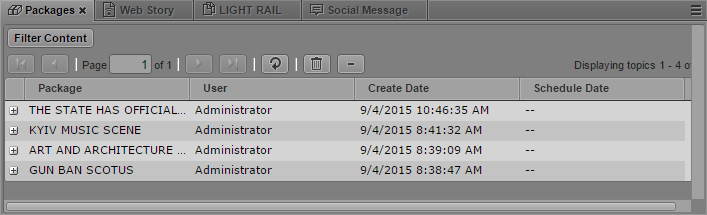
1. Click the Panes Menu button and select Packages.
The Packages pane opens and displays all packages.
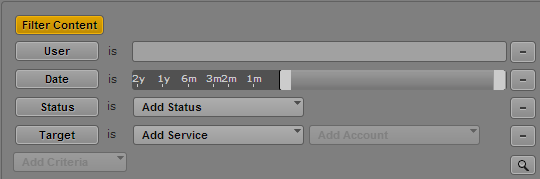
2. (Optional) To filter the list of packages, do the following:
a. Click Filter Content.
The Add Criteria menu displays.
b. Select one of the following:
- To filter by user name, select User, and then type in an MediaCentral user name.
- To filter by the creation date, select Date and then adjust the Date slider to specify a range of dates.
- To filter by the current status of the packages, select Status and then choose a status from the Add Status menu.
- To filter by online, mobile, and social media platforms, select Target and then choose an output from the Add Target menu.
c. Click the Search button.
The Packages pane displays the filtered list of media packages.
3. 
Click the Delete button.
All displayed packages are removed from the Packages pane.