Working with Banks
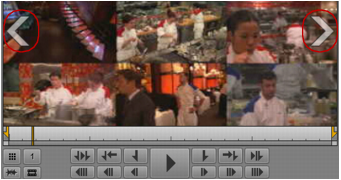
If a group clip contains more than nine camera angles, MediaCentral UX divides the angles into two banks, each containing either four or nine angles. If the last bank of a group clip has fewer than nine angles, the remaining angles are displayed as empty slots.
To change the bank displayed, do one of the following:

For the next bank, press the right Swap Banks overlay arrow.
For the previous bank, press the left Swap Banks overlay arrow.
For the next bank, press Alt+. (period).
For the previous bank, press Alt+, (comma).
Select an active angle that is in a bank not currently displayed, for example, by typing Alt+
number. The Media viewer changes to the bank that contains the new active angle.