Creating Closed-Caption Segments
You can create closed-caption segments for an Interplay Production sequence that does not have closed captions already associated with it, or create new segments for an existing set of closed captions. There are two ways to create a closed-caption segment: through In and Out marks or through the position indicator.
Make sure that the segment is long enough to display the text for the viewer. As a guideline, use a minimal duration of 2 seconds for each full line of 32 characters. For example, a caption that consists of two rows with 32 characters each should be contained in a 4-second segment. If the segment duration is not long enough to display the text, the text might be merged into the previous segment or lost during repackaging.

To display a closed caption, EIA-608 standards require a buffering area of a minimum one frame duration for 2 characters, plus 7 frames of control codes for each segment. For example, a 10-character segment has an approximate minimal duration of 5+7=12 frames.
To create new closed captions:
1. Load an Interplay Production sequence in Asset mode.
2. Click the Media Pane menu and select Closed Captions to display closed captions in the Media pane.
3. Do one of the following:

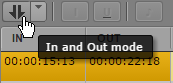
Set an In point and an Out point in the Media pane, set the Create Segment button to In and Out mode, then click the button. If focus is in the Closed Captioning pane, press Ctrl+. (period).
A closed-caption segment is created. You can add text and set alignment now or edit the segment later.
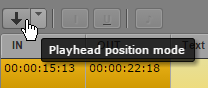
Set the position indicator where you want the closed caption text to start, set the Create Segment button to Playhead position mode, then click the button. If focus is in the Closed Captioning pane, press Ctrl+Shift+. (period).
An In point is set. You can add text and set alignment now or edit the segment later. Click the Save button to save an open segment.
To set an Out point, move the position indicator to where you want the closed caption text to end, and click the Create Segment button. If focus is in the Closed Captioning pane, press Ctrl+Alt+. (period). The segment is now complete, an In point is set for the next segment, and the segment is automatically saved.