Deleting Assignments
You can only delete assignments from the Assignments pane. You cannot undo deletions.

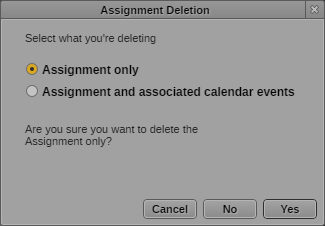
The Assignment Deletion dialog box might display more than one deletion option. For MediaCentral UX v2.9, the options available only delete the assignment and do not affect any other assignment components.
To delete an assignment:
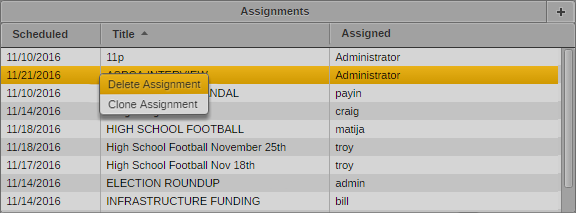
1. Right+click an assignment in the Assignments list, and select Delete assignment.
The Assignment Deletion dialog box opens.
2. Click Yes to delete the assignment.
The assignment is removed from the Assignments pane.

You cannot undo an assignment deletion.