Troubleshooting Video Playback Problems on the iPad
If you experience playback problems with the MediaCentral iOS app, you can try to reload the asset. This forces the MediaCentral server to reload the full video clip and begin streaming it again. You can also try playing the asset in a browser to determine if the problem is related to the app or your connection, or if the problem exists with the MediaCentral server.
To reload an asset:
1. 
Tap the Actions button.
2. Tap Reload.
To play an asset in a browser:
1. On your iOS device, tap the Settings icon.

2. Select MediaCentral UX in the list of apps.
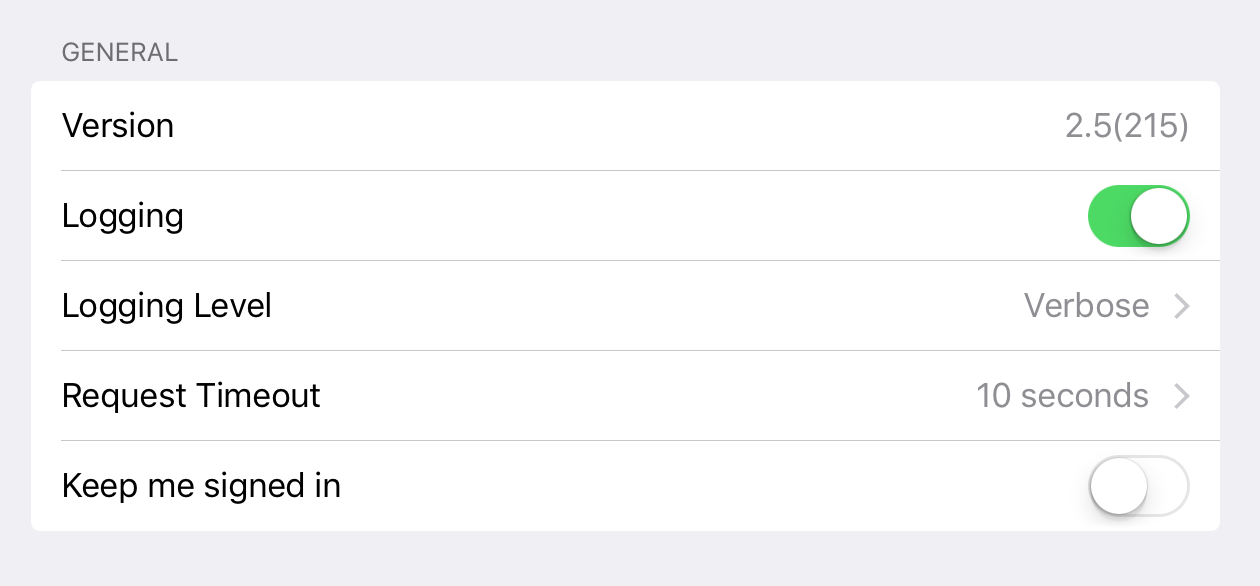
The MediaCentral Settings screen opens.
3. Set Logging to On.
4. Select the Logging Level to Verbose.
5. Start the MediaCentral UX mobile app.
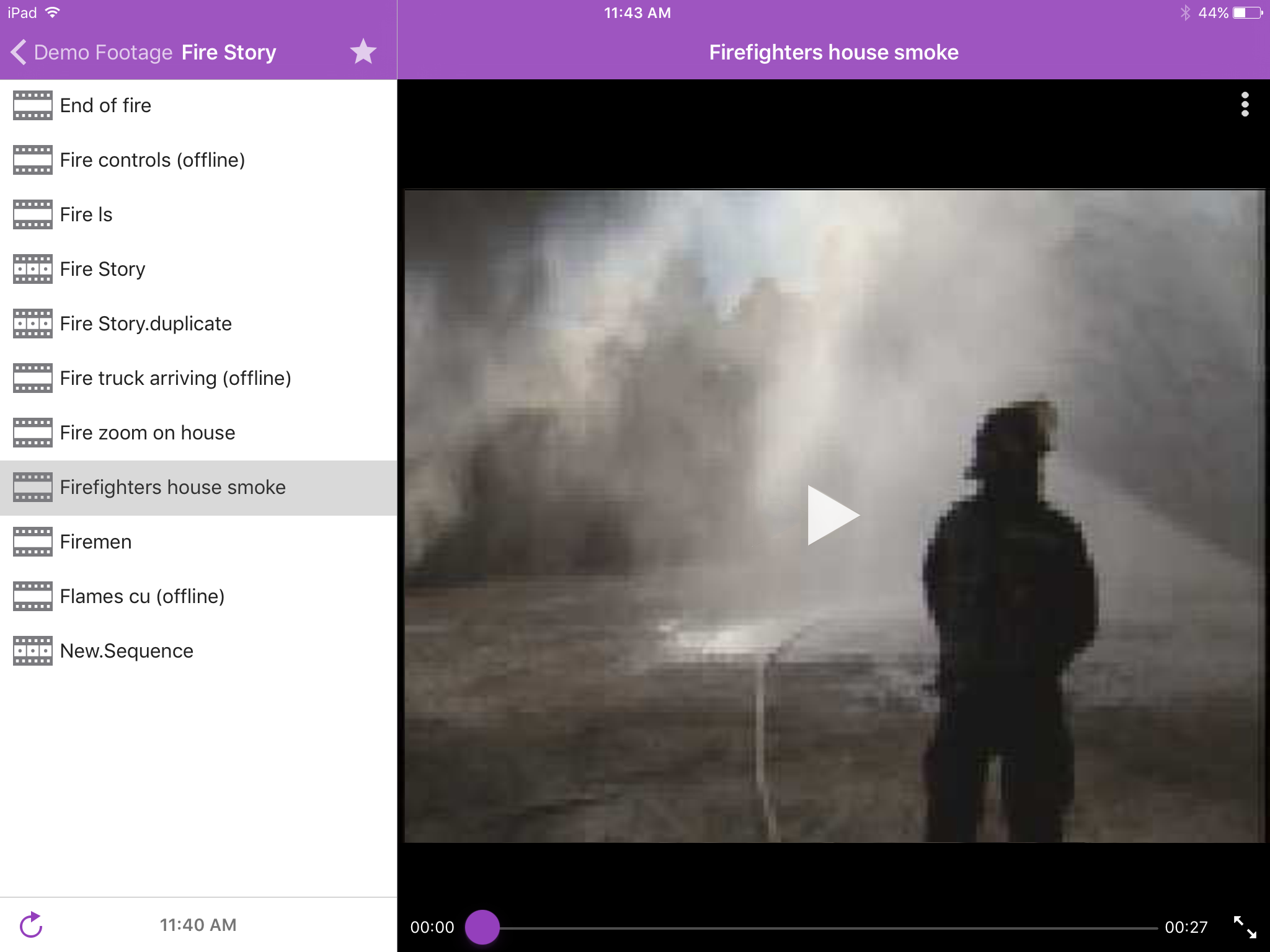
6. Navigate to an asset in one of the directories.
7. Tap the video asset.
The asset opens in the Media viewer.
8. Tap the Play button to play the asset, and make a note of the time playback begins.
9. Tap the Actions button, and then tap Send Log to send an e-mail with the log file directly to an e-mail account.
10. Open the e-mail on your Macintosh system, and then use a text editor to open the attached log file.
11. Find a link with .m3u8 suffix that is located on the line marked with the time playback started — for example:
07-02 16:15:29.830 [ . . . ] http://123.45.678.910/download/0e41028f99738669c581c50388e80d36/060a2b340101010101010f0013-000000-92dede5ab6034faa-b737d720c291-4093_1920x1080-fps25.00_from_0_to_7501_quality_0_video_-1_audio_-1_h264_aac_ts_.m3u8
12. Copy this link, and then paste it into the address field in a browser.
13. Edit link in address field by typing -WIFI before the .m3u8 suffix — for example:
http://123.45.678.910/download/0e41028f99738669c581c50388e80d36/060a2b340101010101010f0013-000000-92dede5ab6034faa-b737d720c291-4093_1920x1080-fps25.00_from_0_to_7501_quality_0_video_-1_audio_-1_h264_aac_ts_-WIFI.m3u8

“WIFI” is case-sensitive.
14. Press Enter to go to the URL in the address field.
The Safari browser supports native playback for .m3u8 files. Other browsers — for example, Chrome, Firefox, Internet Explorer, or Opera — do not. If you are not working on a computer running Mac OS X, you can use your browser to download the file to your system and play it in a media player that support .m3u8 video files.
15. Play back the asset.
If playback produces the same problem seen when you played the asset on your mobile device, the source of the problem is the MediaCentral server and not the app. If the asset plays back without issues, then the source of the problem is the mobile app, your connection, or your device.